
The auditor says: “Show me your latest customer complaints: when you received them, who handled them and what you told the customer.” If the answer means searching through e-mail, the problem is bigger than the audit. A customer complaint that waits three weeks in the inbox of a colleague who is on holiday is a risk to the business, not just to the audit: the customer does not know whether anyone is listening, and management does not know that the same problem keeps coming back.
In this post we show how the Complaints module of the E-kakovost QMS platform handles complaints: each one gets a number, a due date and a responsible person, its status is visible from receipt to closure, management sees response times and trends, and an action is raised straight from the complaint.
What the standard asks of your complaints
ISO 9001 clause 8.2.1 requires the company to communicate with customers and to obtain their feedback, including complaints. Clause 9.1.2 requires you to monitor how customers perceive the degree to which their needs and expectations have been met, in other words customer satisfaction. Clause 10.2 then requires you to react to a nonconformity, including one that a complaint brings to light, to evaluate whether its cause needs to be eliminated and, where needed, to take corrective action.
The standard prescribes neither a form nor a deadline. It prescribes that you can show the chain: receipt, handling, reply, decision on action. If you want to organise complaint handling in more detail, ISO 10002 offers guidelines written specifically for it. In practice, though, complaints often live in individual inboxes where only the recipient sees them. The Complaints module brings them together in one place.
How a complaint lives in the Complaints module
1. One list instead of many inboxes
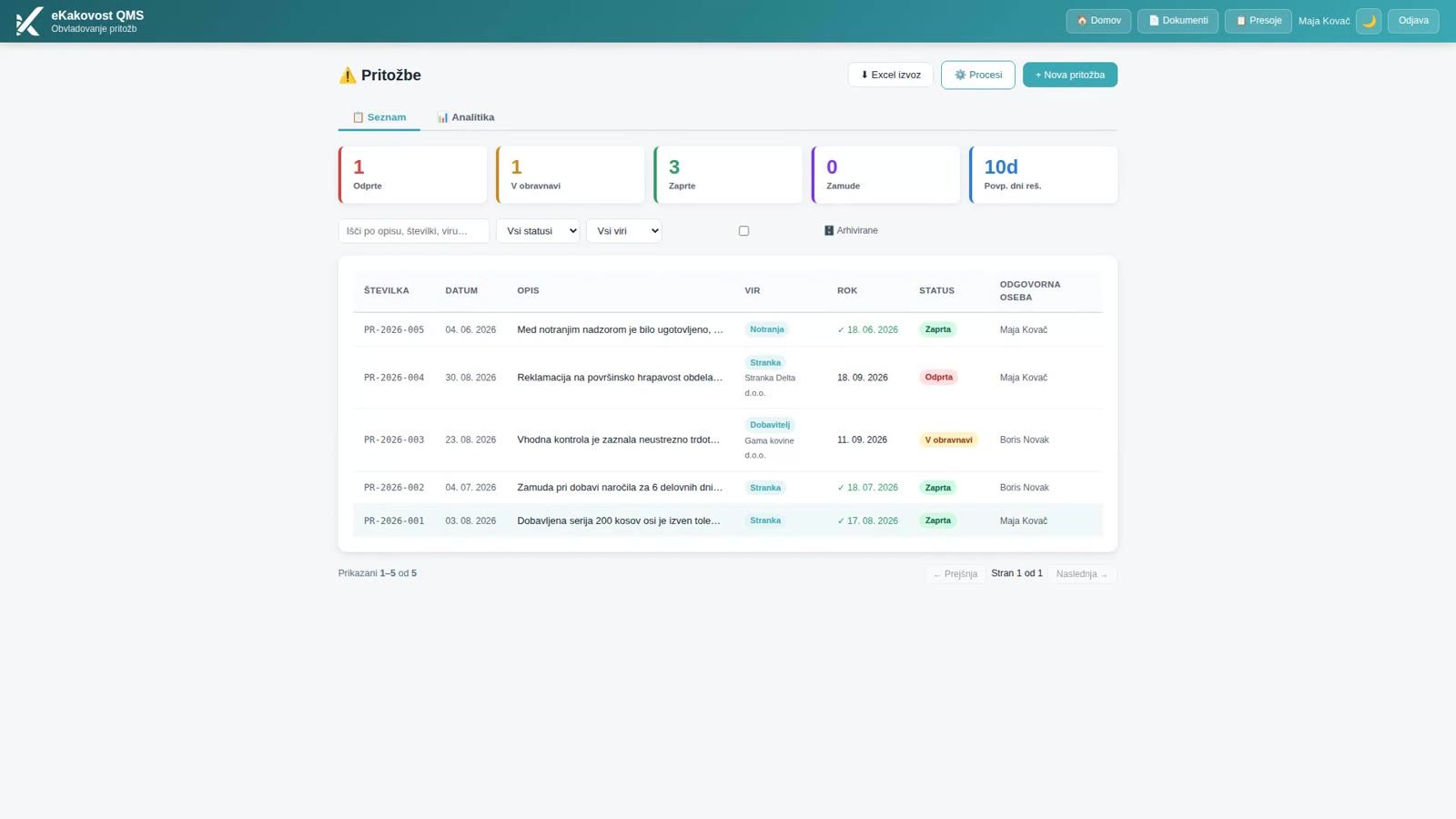
The module is the register of every complaint the company receives: from a customer, a supplier, an employee, from inside (internal) or from elsewhere. Above the list are counters for Open, In progress, Closed, Overdue and the average number of days to resolve. The counters always count all of the company’s complaints, so they do not change when you filter the list.
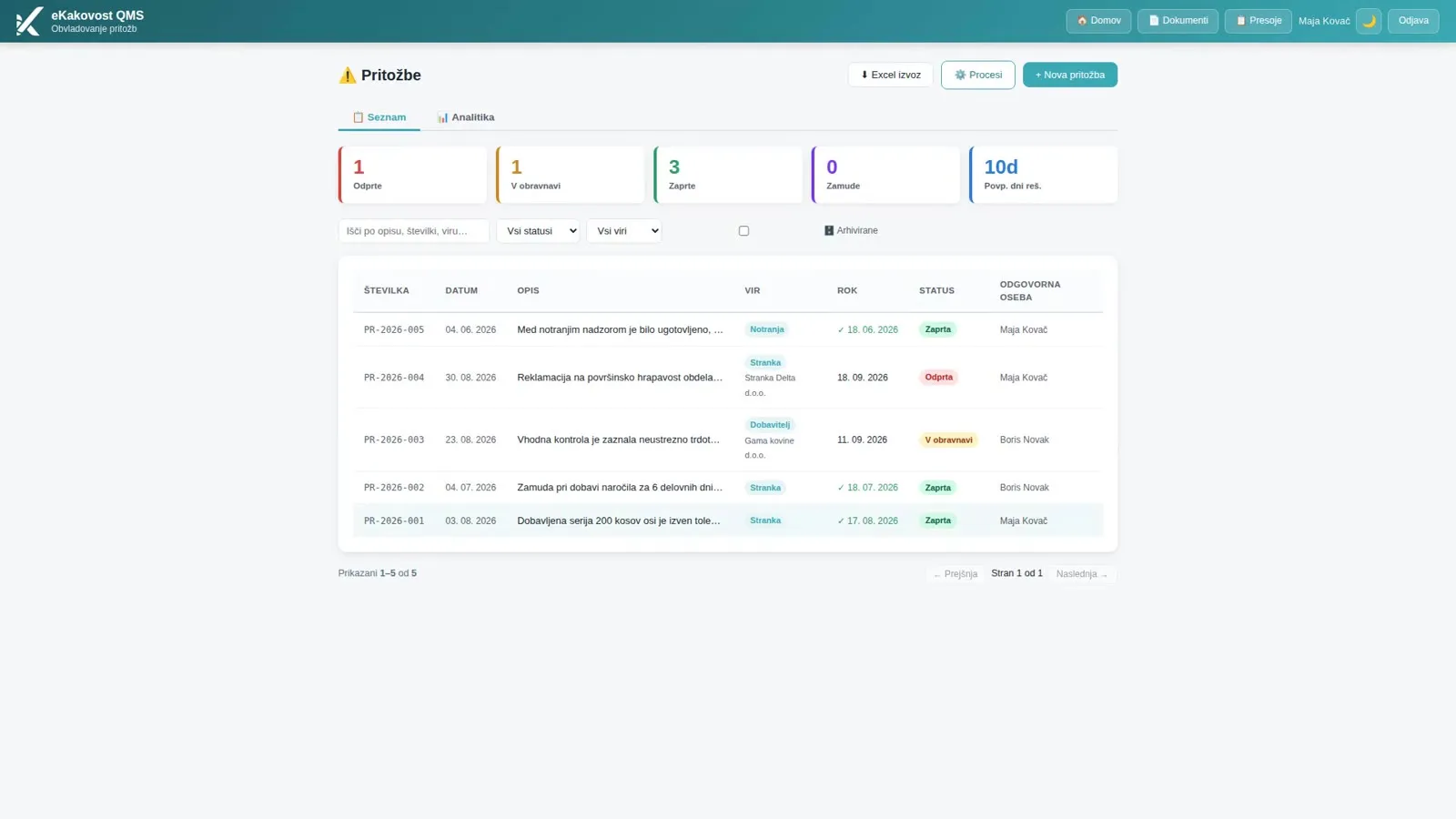 The list of complaints: everyone who needs to know can see who is handling each one, by when and where it stands.
Each row shows the number, the date received, the description, the source with the complainant, the due date, the status and the responsible person. Overdue complaints are marked in red, and for closed ones a green tick shows they were resolved on time. You search by description, number or source and filter by status and source. On a phone each complaint is a card with the same data.
2. A number, a due date and a responsible person from the start
Whoever receives the complaint (sales, the office, the quality manager) records it with + New complaint. The only mandatory field is the description: what the complainant reports, when, how much and what they ask for. The date received is today, and the resolution due date is 14 days ahead by default; you adjust it to the contract or your internal rule. The date received cannot be in the future and the due date cannot be before it.
The complaint gets a number (e.g. PR-2026-004) and a responsible person, who is notified. If you do not yet know who should handle it, the complaint stays unassigned: a colleague can take it on, or the administrator assigns it. You also enter the complainant and their e-mail address, which receives updates on progress and the resolution. If the company has the AI module switched on, the ✨ Improve button rewrites the text into a clear, neutral description that you check before taking it over.
3. A status everyone can see, from receipt to closure
A complaint moves through Open → In progress → Closed, followed by Notification of the complainant. The flow is drawn in the details, so you can see at a glance where a complaint is stuck. The responsible person finds it among their tasks and in the Planner of deadlines. If the complaint is not theirs, they return it with a reason and the administrators assign it to someone else.
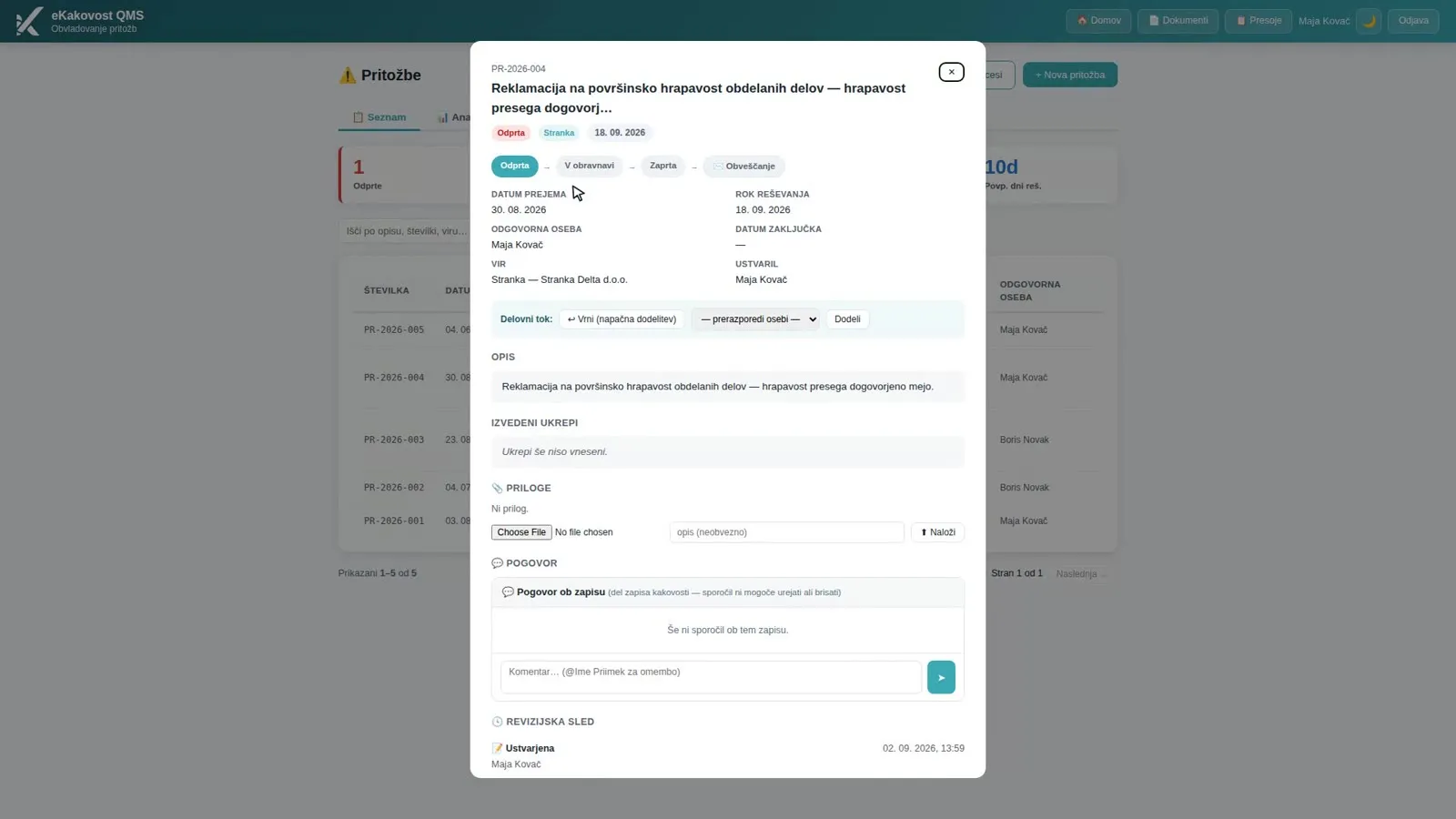 Complaint details: status flow, due date, responsible person and source in one place, with actions taken, attachments and conversation below.
While handling the complaint, the responsible person records the actions taken, attaches evidence (photos, the delivery note, the reply to the customer) and discusses the case with colleagues right on the complaint. During handling they can send the complainant an interim message confirming the complaint has been received and is being dealt with; every notification is recorded. The responsible person cannot move the due date or change who is responsible: the complaints manager does that, and every change of the due date stays in the history. When a complaint is overdue, a reminder is sent.
4. Closing with a reply to the complainant
A complaint is closed with ✓ Complete. It cannot be closed without a responsible person, the actions taken and a decision on corrective action: either an action is linked, or you write down why none is needed. That is exactly the decision clause 10.2 asks for. On closure the responsible person and the administrators are notified, and the complainant gets an e-mail with the resolution: what you found, what you did and how you are preventing a recurrence.
All of this is kept in the decision trail: who created, took over, assigned or returned the complaint, changed its status or due date, closed or reopened it. Complaints cannot be deleted because they are evidence; the administrator archives a wrong entry. A closed complaint cannot be edited. If the customer comes back with the same problem, you reopen it and the earlier closure stays visible. A recurrence is a warning that the cause was not removed.
5. Response times and trends for management
The Analytics tab shows performance by person (complaints assigned and resolved, average days, share resolved on time and overdue) and a 12-month trend: complaints received and closed by month. Management can see where complaints keep recurring before they become a systemic problem, and whether response times are getting shorter or longer.
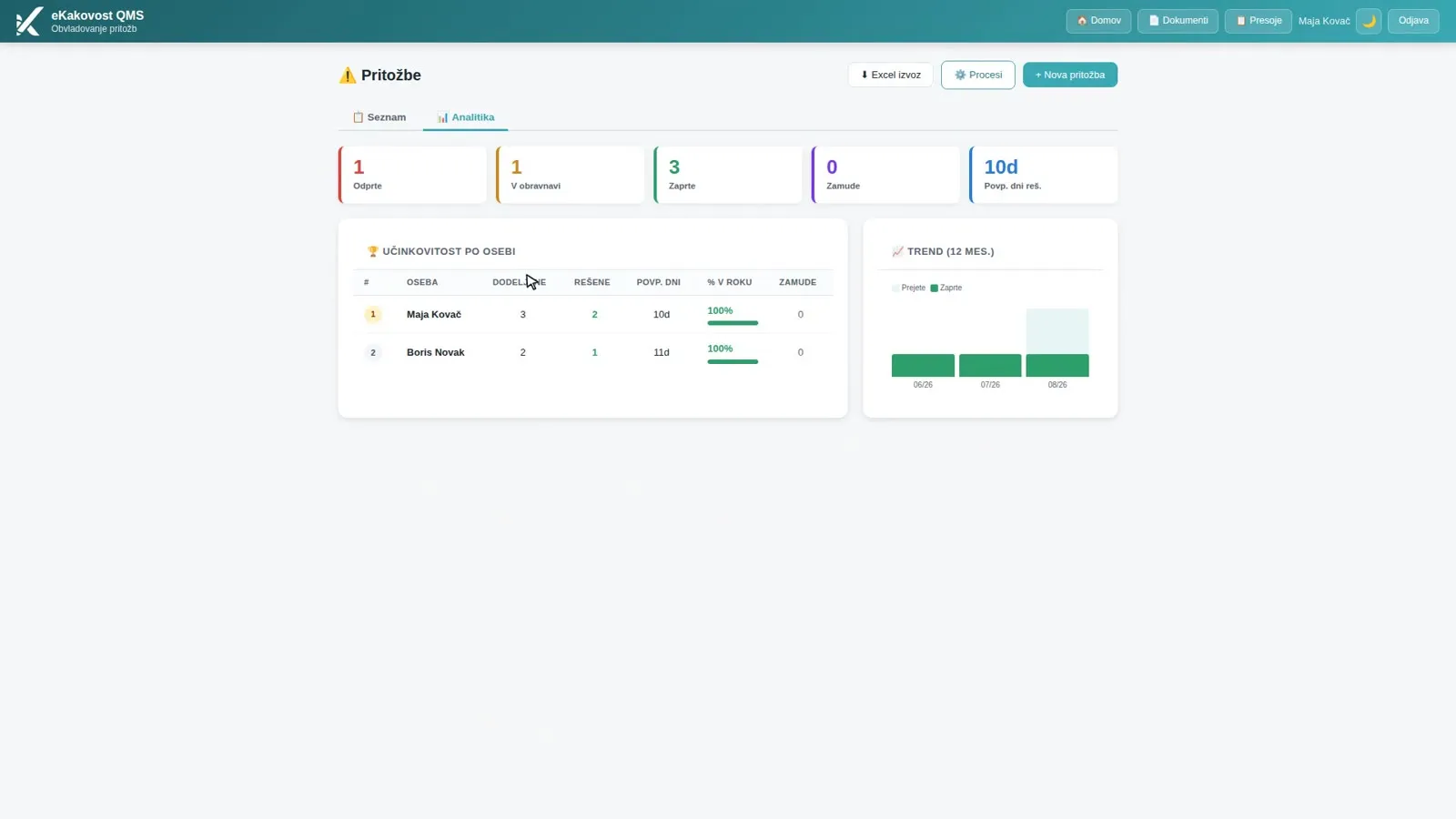 Analytics: who resolves how many complaints, how quickly and what share on time, plus the trend by month.
The same data feeds the KPI overview (share of complaints resolved on time) and the inputs of the management review. From the management review, a link opens exactly the complaints behind the number in the review, so management looks at the records during the meeting, not just the figures. Complaints are thus one of the sources you use to monitor customer satisfaction under clause 9.1.2. You can also export the complaints of a chosen period to Excel.
6. From complaint to action
A justified complaint is the most common source of corrective actions. When a complaint calls for an action, you open it from the complaint details with + Action. A new corrective action opens with the source “Complaint”, the complaint number and the description already filled in. The action is then listed on the complaint with its number, status, due date and responsible person, and a click on the number opens it. The rest of the work (cause analysis, implementation, effectiveness review) takes place in the Actions module.
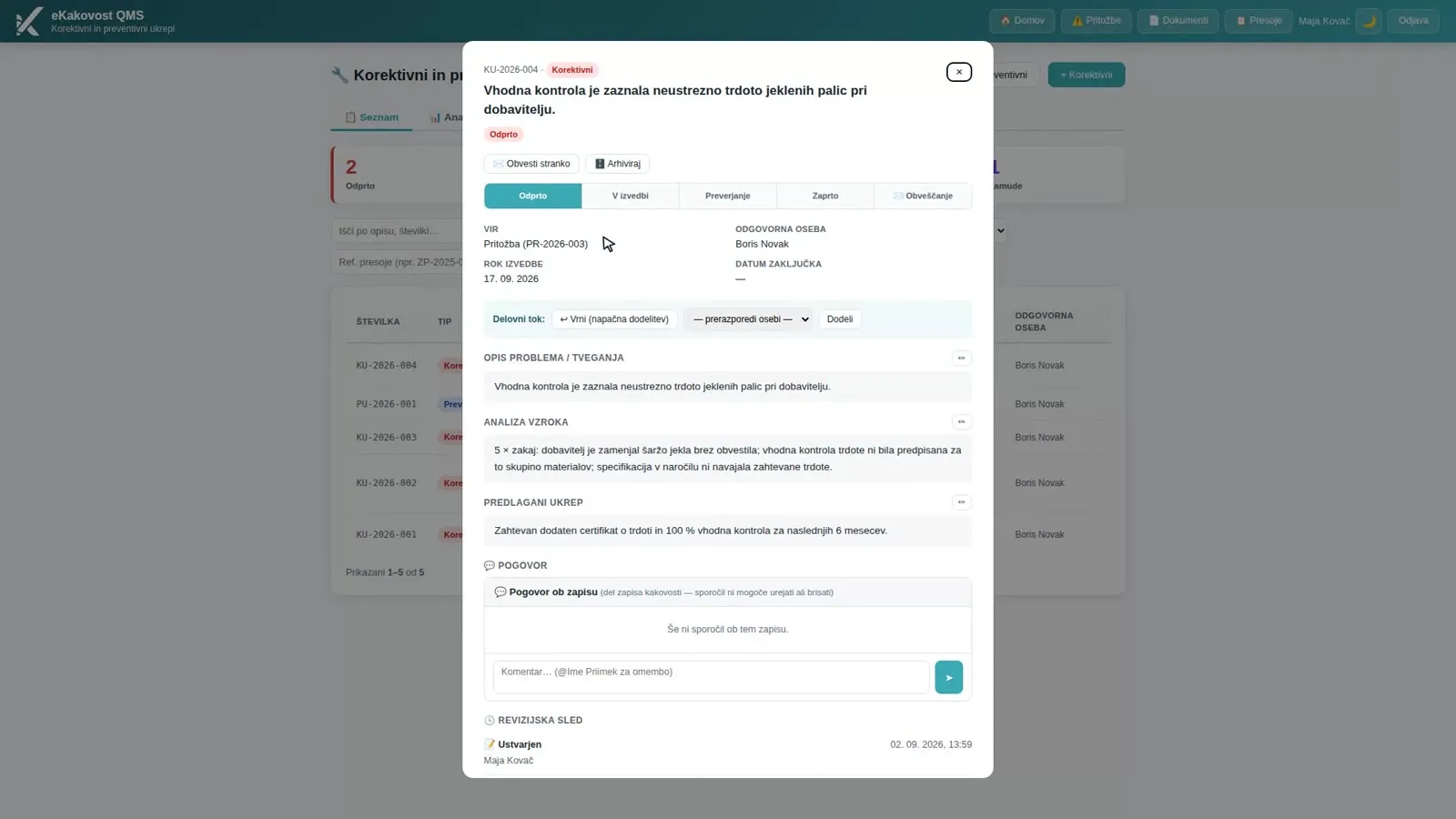 A corrective action opened from a complaint: the source shows the complaint number, so the loop from complaint to action is visible both ways.
If the complaint concerns a product that does not meet requirements, + Nonconforming output opens a record in the nonconforming outputs register that is already linked to the complaint (clause 8.7). A supplier complaint can also be run as a claim in the Suppliers module. An administrator can define your own handling process (e.g. Receipt → Handling → Resolution), where some steps require a comment on transition and the system warns you when a case stalls. The loop closes, and you can prove it.
What the quality manager gains
| Without a system | Complaints module | |
|---|---|---|
| Receipt | In the inbox of whoever got it | One register with number, due date and responsible person |
| Due date | Nobody tracks it | 14 days by default, overdue in red with a reminder |
| Status | You have to ask | A status flow visible to everyone who needs to know |
| Reply to the customer | A separate e-mail with no trail | A notification to the complainant, recorded in the flow |
| Action | The decision is written down nowhere | No closure without a decision on action |
| Recurrence | Nobody notices | A 12-month trend and performance by person |
| Audit preparation | Searching through e-mail | Decision trail, analytics and Excel export |
Who uses the module
- The quality manager, who sees every complaint, due date and delay, and shows management the response times and trends for the management review.
- Sales and the office, who record a complaint the moment it arrives instead of forwarding it by e-mail.
- Responsible people, who get a clear task with a due date, a reminder and all the information in one place.
- Management, who can see where complaints keep recurring and whether the response is improving.
- The auditor, who gets the chain from receipt through the reply to the customer to the decision on action in one record.
Book a free demo. In 30 minutes we show you how your complaints would live in the Complaints module: from receipt to the reply to the customer and the action, on an example from your industry. Choose a time →
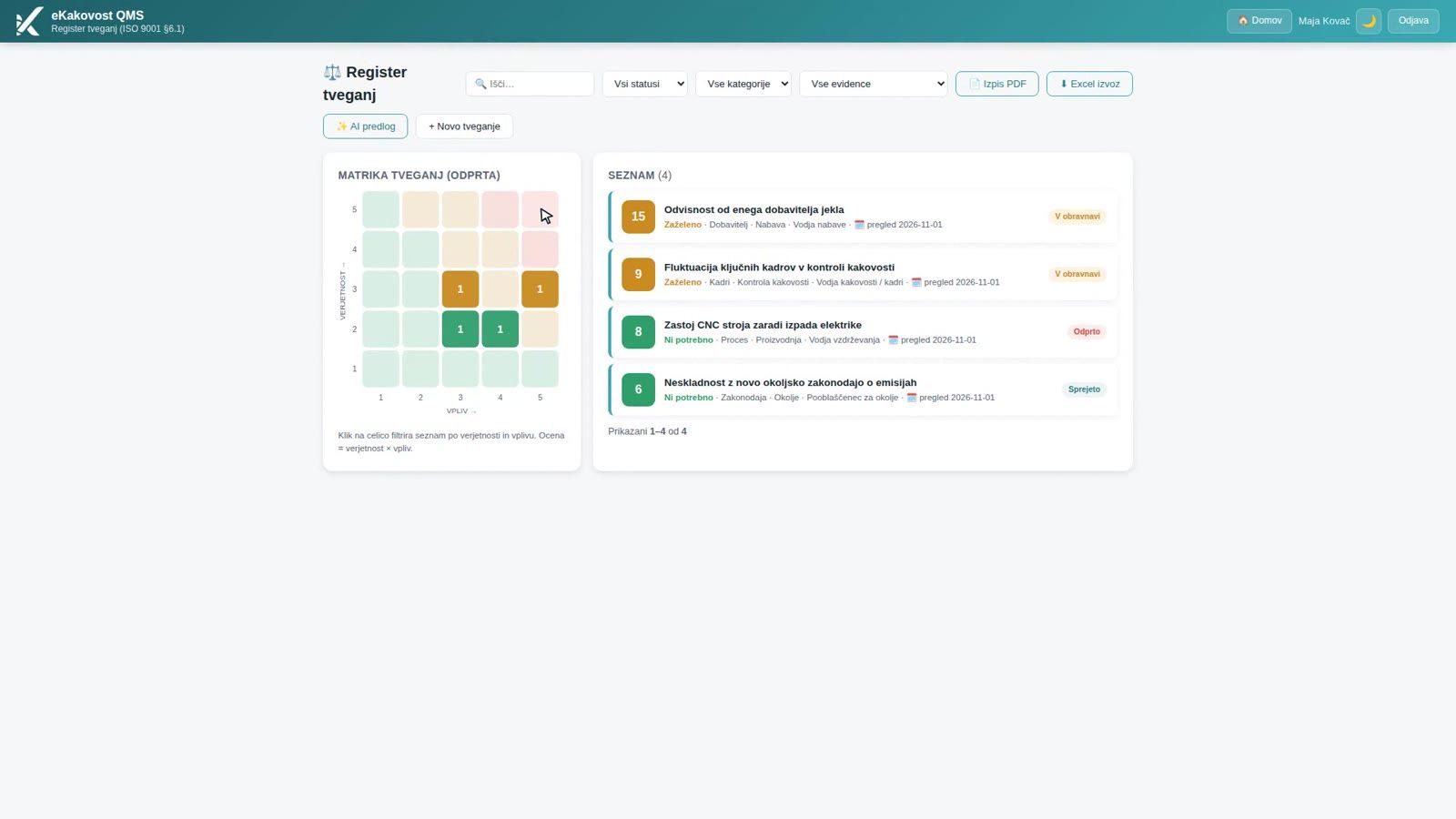
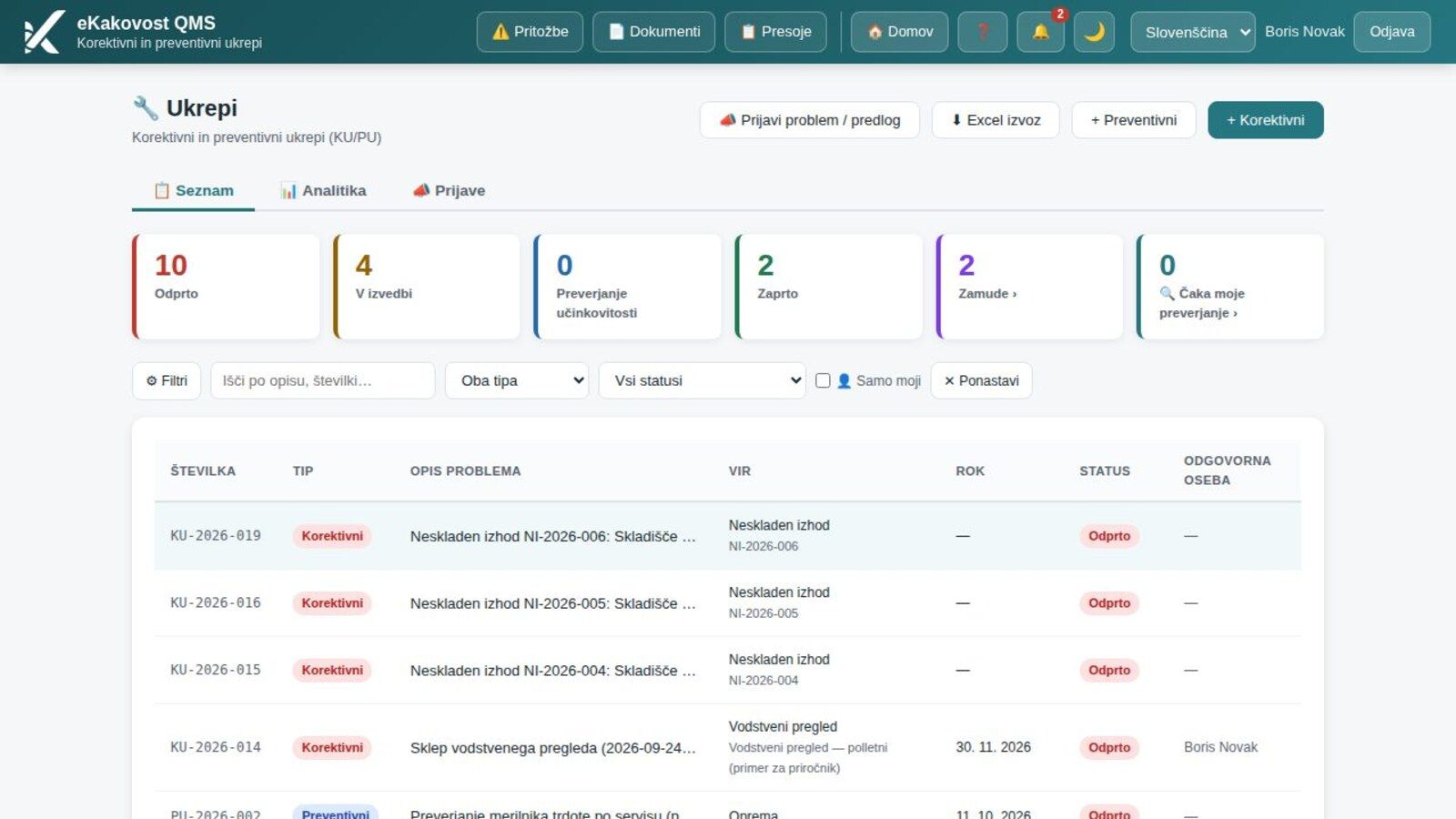
A complaint only makes sense if there is an action behind it that removes the cause. In an earlier post we showed how the Actions module takes corrective actions through to a verified effect, and in the last one how the Risks module keeps the risk register, where the risk of losing a customer belongs too. If you are only introducing ISO 9001, a complaints register with due dates and replies is one of the first proofs that the management system really listens to customers.
Frequently asked questions
What does ISO 9001 require for complaints?
Clause 8.2.1 requires the company to communicate with customers and to obtain their feedback, including complaints. Clause 9.1.2 requires you to monitor customer satisfaction, and clause 10.2 requires you to react to a nonconformity, including one raised by a complaint, and to evaluate whether its cause needs to be eliminated. An auditor will therefore expect a record of every complaint, how it was handled and the decision on action.
How quickly must a complaint be resolved?
The standard sets no deadline, so the company or the contract with the customer sets it. In the module the resolution due date is 14 days after receipt by default, and you adjust it when you record the complaint. A complaint past its due date turns red, counts as overdue and a reminder is sent.
Does every complaint need a corrective action?
No. The standard requires you to evaluate whether action to eliminate the cause is needed. Before closing, the module asks for that decision: either an action is linked to the complaint or you write down why none is needed. If an action is needed, you open it from the complaint with one click.
How do I show an auditor that we handle complaints?
Every complaint has a status flow, the actions taken, attachments and a decision trail: who created, took over or assigned it, changed its due date, closed or reopened it. Notifications to the complainant are recorded in the flow. Analytics show response times and the share resolved on time, and you can export the complaints of any period to Excel.
What if the customer comes back with the same problem?
A closed complaint cannot be edited or deleted, because it is evidence. You return it to handling with Reopen; the reopening is recorded with a comment and the earlier closure remains. A recurring complaint is a sign that the corrective action did not remove the cause.
Read next
Transparency: artificial-intelligence tools were used in preparing this article. The content was reviewed and approved by the author.